Alight Motion VS After Effects – Which one to choose in 2026?
As technology advances, the demand for high-quality, visually appealing video content is increasing. Nobody loves the old style and boring content. Moreover, if you are a video content creator, then you have to do something extraordinary to grab the attention of your viewers. To do something, you need professional video editing software.
Alight Motion and After Effects are both used for professional, highly appealing, seamless and magical video editing. Both apps offer many premium editing tools. But the question is “which one to choose and why?” That’s why I am writing this comprehensive, detailed comparison of Alight Motion and After Effects.
After reading this guide, you will choose the editing application that best meets your needs. So without wasting any time, let’s dive into it.
What is Alight Motion?
Alight Motion is one of the best editing applications available for Android and iOS devices. It offers a range of basic to premium editing tools. Moreover, you will get many other pro features that are missing in other editing applications, such as Motion Graphics, Animations, Keyframes, Graph Editor, Effects & Filters, and XML Support. Using these features and tools, you can turn your basic editing into something professional. Alight Motion offers both free and premium subscriptions. The free version comes with basic editing tools. To create professional videos, you need Alight Motion Pro, which you can subscribe to on the Play Store with different packages.
What is After Effects?
After Effects is a god-level editing application developed only for PC and macOS. It is designed for professional editors, designers, and VFX Artists. If you are a beginner or an average editor, you may encounter some difficulties using this application after Effects offers 3D Animations, Advanced Motion Graphics, Advanced Effects & Filters, and Chroma Key, among other features. The application runs smoothly on high-end machines with powerful processors and GPUs. It may crash on low-end devices. It comes with a complex user interface that can be confusing for beginners. It comes with a 7-day trial, then you need a paid subscription to use it.
Features of Alight Motion VS After Effects
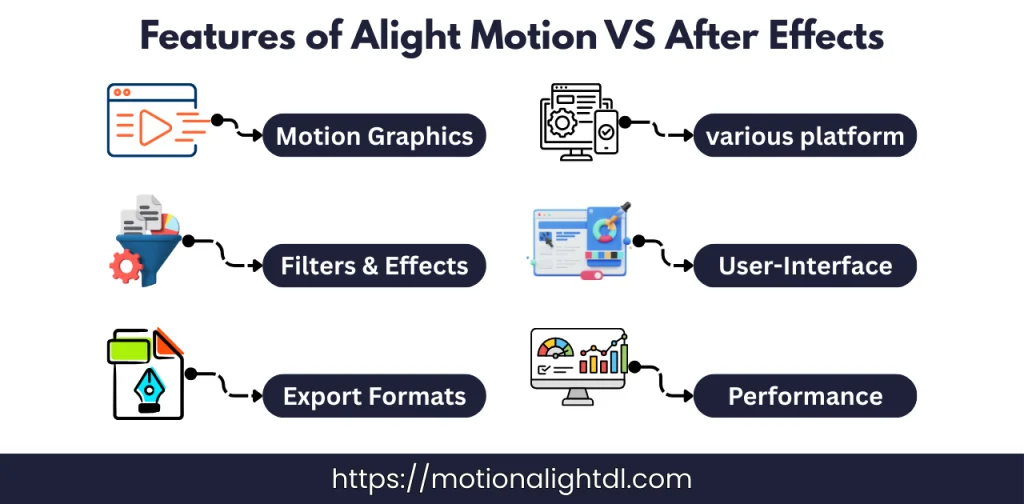
Now we will compare the features of both applications. After reading this, you will get an idea of which application to choose and why.
Motion Graphics and Animations:
Both applications come with these features. In Alight Motion, you can use motion graphics and animations to create stunning effects on text, video, images and other media. Using the graph editor of Animation, you can control the timing and animation behavior of the objects. In After Effects, you will get something extra that isn’t available in Alight Motion. You can animate your 3D objects and add professional effects like those in Hollywood movies.
Effects and Filters:
Alight Motion comes with a vast collection of various effects and filters. These effects include:
These effects and filters are enough for beginners to create a basic video. For something professional, you have to explore its library for extra and pro features. On the other hand, After Effects offers you Hollywood-level effects and filters, which include:
Export Formats:
Using Alight Motion, you can export your videos in multiple formats, such as MP4, GIF, and PNG. AfterPNG. After Effects offers many video export options, such as MOV and ProRes. In simple terms, Alight Motion only offers exporting to basic, popular formats, whereas After Effects allows exporting to advanced, professional formats.
Platform Accessibility:
Alight Motion is designed for Android and iOS devices only. To use it on PC or macOS, you have to install the Android Emulator on your device. To read a complete guide to the system requirements for Alight Motion, check out this guide. At the same time, After Effects is designed for high-end machines like PC and macOS.
User-Interface:
Alight Motion has a simple, easy-to-navigate user interface that is quite easy for beginner editors, unlike After Effects, which comes with a complex interface that is hard to learn and difficult for beginners.
Performance:
Alight Motion is designed only for mobile editing on Android and iOS devices. It will run smoothly and lag-free on high-end mobile devices, but it can crash on low-end devices. If Alight Motion is lagging on your device, read this guide to fix it. After Effects is designed only for high-end machines with powerful CPUs and GPUs. It can also crash on a low-end PC.
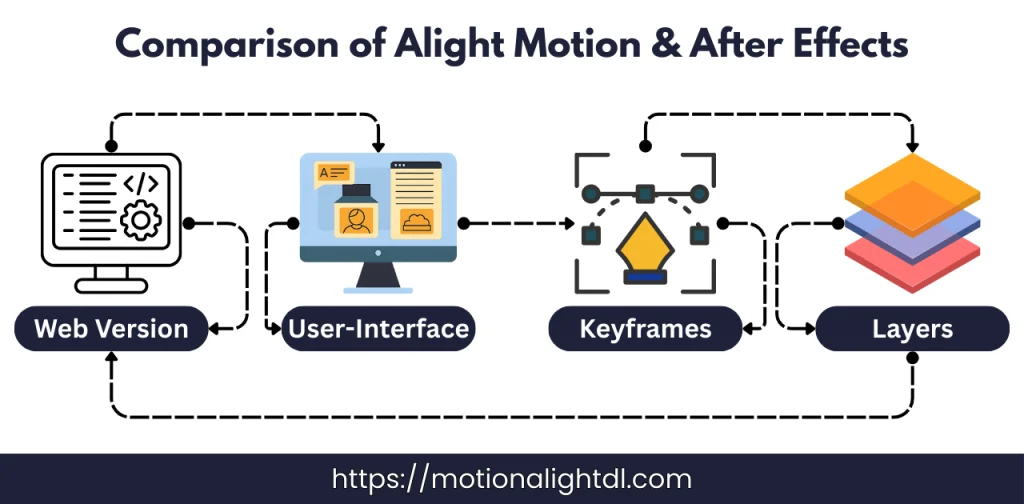
Alight Motion VS After Effects Comparison Table
|
Features |
Alight Motion |
After Effects |
|---|---|---|
|
Supported Devices |
Android, iOS and PC ( Using Android Emulators ) |
High-End Computer with Strong CPUs and GPUs |
|
Web Version |
✅ |
❌ |
|
Advanced Animation Tools |
❌ |
✅ |
|
Plugin Supports for Advanced editing and 3D Animationing |
❌ |
✅ |
|
Creating Scripts for Complex Editing |
❌ |
✅ |
|
Cross-Platform Compatibility |
✅ |
❌ |
|
User Interface |
Easy |
Complex |
|
Creating Motion Graphics and Visual Effects |
✅ |
✅ |
|
Transition Effects |
✅ |
✅ |
|
Shake effects |
✅ |
✅ |
|
Text and Video Animations |
✅ |
✅ |
|
Presets Support |
✅ |
✅ |
|
Creation of Templates |
✅ |
✅ |
|
Ads |
✅ |
❌ |
|
Chroma Key |
✅ |
✅ |
|
Keyframes |
✅ |
✅ |
|
Online Tutorials |
✅ |
✅ |
|
Multiple Layers Support |
✅ |
✅ |
|
Roto Scoping |
❌ |
✅ |
|
Stylish Fonts & Titles |
✅ |
✅ |
|
Importing Presets |
✅ |
✅ |
|
Masking Tool |
✅ |
✅ |
|
Pictures & Videos Library |
❌ |
✅ |
|
Shapes Library |
✅ |
✅ |
|
XML File Import & Export |
✅ |
✅ |
Pros and Cons of Alight Motion
Before you install and use Alight Motion for your personal and professional projects. First, let’s discuss its pros and cons:
Pros
Cons
Pros and Cons of After Effects
The After effect is used for god-level editing. Before installing and using it, it’s better to discuss pros and cons of the application.
Pros
Cons
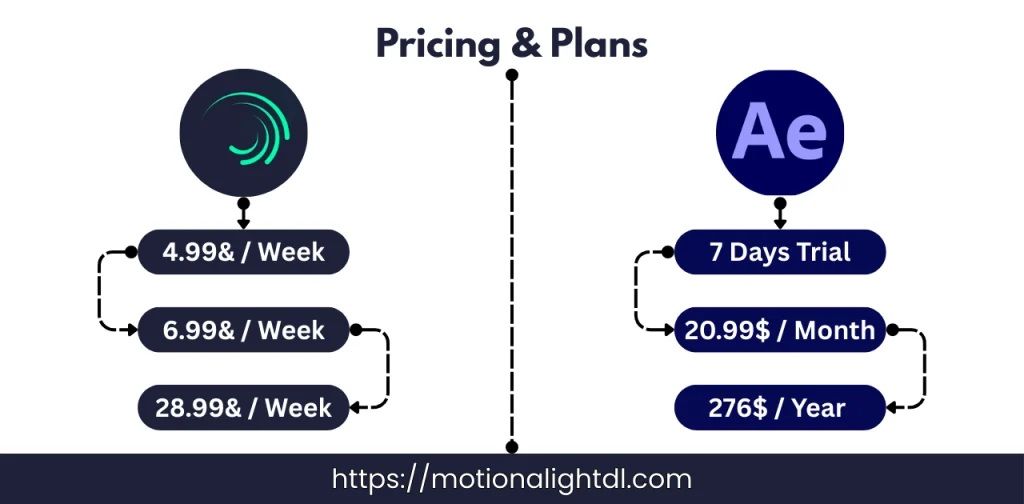
Alight Motion and After Effects – Pricing and Plans
|
Alight Motion |
After Effects |
|---|---|
|
Free version comes with basic editing tools |
7 Days Free Trial |
|
4.99$ / Week |
20.99$ / Week |
|
6.99$ / Month |
19.99$ for teachers & students for 1st year |
|
28.99$ / Year |
22.99$ for the following year |
Alight Motion VS After Effects – System Requirements
|
Alight Motion |
After Effects |
|---|---|
|
OS: Android 7.0+ / iOS 14+ |
OS: Windows 10 or 11 |
|
RAM: At least 2 GB of RAM |
RAM: Minimum of 16 GB of RAM |
|
Storage: Minimum of 4 GB Storage |
CPU: 11th gen / Ryzen 3000 or Newer |
|
GPU: Minimum of 4 GB VRAM |
Which one to use? Alight Motion OR After Effects
Choosing an editing application depends on the workflow, environment, project goal and your needs. Alight Motion is best for creating professional videos, animations and motion graphics for mobile devices. After Effects is used for complex projects, advanced editing and motion graphics, and VFX effects etc. Alight Motion is designed for mobile devices like Android and iOS devices. The After Effects is used for high-end devices like PCs and macOSs.
Conclusion
Alight Motion and After Effects both are used for professional editing. In this detailed guide of Alight Motion VS After Effects we have compared both tools. Now it depends on you which app you have to select for editing. First clear your editing goal, then choose accordingly. Alight Motion is used for mobile devices for creating professional editings for social media content and presentation by using the motion graphics. On the other hand, after effects is used for editing complex projects, creating 3D and cinematic visuals and adding VFXs to your videos.